
CICS BMS MAPPING TOOL
BMS / TS
Produce, edit, and maintain BMS maps that enhance your help screens
What Is BMS/TS?
BMS/TS is Adaptigent’s advanced BMS screen generator designed for CICS Transaction Server environments. It enables teams to design, manage, test, and maintain 3270 mainframe screens (BMS maps) more efficiently.
As a comprehensive CICS MAPSET design and management solution, BMS/TS simplifies screen development with adaptive design, extended attribute support, and real-time testing. It supports a wide range of terminal types and integrates smoothly with existing environments to streamline development and improve productivity.
Simplified Screen Development
BMS/TS provides an intuitive design environment that simplifies how teams create and update screens. With flexible field management, adaptive screen design, and built-in testing capabilities, developers can quickly build and validate maps while reducing development time.
Centralized Management and Integration
BMS/TS centralizes screen design in a single repository, making it easier to maintain consistency across applications. It also supports web integration and broad terminal compatibility, helping teams manage and extend existing applications more efficiently.
Benefits
Faster screen development and maintenance with direct HTML/XML output and real-time testing
Intuitive visual design tools for creating and editing maps with less complexity
Seamless integration with applications, databases, browsers, and 3270 Bridge environments
Flexible configuration with customizable rules, templates, and ADS specifications
Global and enterprise support including double-byte character support and built-in help resources
Easy migration and compatibility with import tools for existing non-BMS maps (SDF, SDF2, MAPGEN)
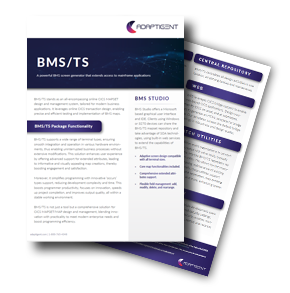
Learn More about the BMS Studio
BMS/TS is an online CICS MAPSET/MAP design and management system that uses online CICS transaction design to test and implement BMS maps. It includes functions and facilities that customers will find useful as they increase efficiency and productivity.
Let's Connect
If you're interested in expanding your capabilities around core systems, data integrations, and legacy technology, we should talk.
Frequently Asked Questions
How does BMS/TS improve mainframe screen development efficiency?
BMS/TS reduces development time by providing an intuitive design environment, flexible field management, and real-time testing. Developers can create, update, and validate screens without complex assembly processes, helping speed up delivery and improve accuracy.
Can BMS/TS work with existing applications and environments?
Yes. BMS/TS integrates with existing environments and supports a wide range of terminal types, allowing organizations to enhance and manage current applications without extensive modifications or disruption to operations.
Does BMS/TS support modern web-based interfaces?
BMS/TS enables web integration by generating HTML templates and supporting bridge technologies, making it possible to extend traditional applications to browser-based interfaces while maintaining core system functionality.
How does BMS/TS support team collaboration and management?
BMS/TS centralizes screen design in a shared repository and supports multiple users with configurable security controls. This makes it easier for teams to collaborate, manage access, and maintain consistency across applications.
Can BMS/TS work with existing BMS maps or other formats?
Yes. BMS/TS includes batch utilities that allow organizations to import and convert maps created with other tools into its repository, enabling ongoing maintenance and improved efficiency without starting from scratch.