
3270 Help Screens
ASSIST / TS
Efficiently create and maintain help systems
What Is ASSIST/TS?
ASSIST/TS is a mainframe help and documentation solution that delivers screen-level and field-level help to 3270 applications without requiring new code or changes to existing systems. It enables organizations to enhance user support and access critical information directly within IBM CICS environments.
Mainframe Help Without Code Changes
ASSIST/TS allows users to create and manage help content, documentation, and data displays through an intuitive, menu-driven interface. End users can access help screens, manuals, and even DB2 data in real time using SQL queries, improving productivity and reducing reliance on development resources.
Real-Time Data and Documentation Access
ASSIST/TS enables access to DB2 data directly from CICS using SQL, allowing users to retrieve and display information within help screens without modifying existing applications.
Features
Deliver help screens and documentation to browsers and web applications
Integrate existing help systems without modifying application code
Attach contextual help windows to 3270 applications
Present DB2 data in real time using SQL queries
Build and manage secure, electronic documentation systems
Enable data sharing between applications
Create and maintain electronic reference systems across PC and mainframe environments
Key Components of ASSIST/TS
Core tools for delivering browser-based help, documentation, and contextual user support

ASSIST Web Help
Displays ASSIST/TS help documentation as HTML pages instead of 3270 green screens, opening help content in a browser for improved user experience.

DOCM/TS
Provides a fast and efficient way to deliver digital manuals and softcopy documentation to end users, improving access to reference materials.

MENU/TS
Enables the creation of structured menus that organize help screens, online manuals, and reference panels for easier navigation.

TUTOR/TS
An intelligent online help system that adapts to user activity, providing contextual guidance and anticipating user needs in real time.
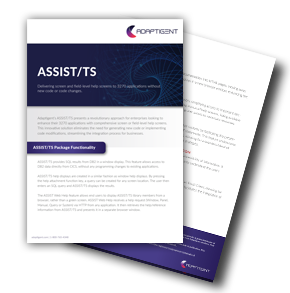
Learn More about ASSIST/TS Functionality
ASSIST/TS allows enterprises to provide screen or field-level help screens to 3270 applications without generating new code or executing code changes. It is easy to configure and use, and it enables the replacement of outdated and inflexible help systems.
Let's Connect
If you're interested in expanding your capabilities around core systems, data integrations, and legacy technology, we should talk.
Frequently Asked Questions
How does ASSIST/TS integrate with existing mainframe applications?
ASSIST/TS integrates directly with existing 3270 applications in IBM CICS environments without requiring source code changes. It overlays help screens, documentation, and data access capabilities on top of current applications, allowing organizations to enhance functionality without redevelopment.
Can ASSIST/TS be used to modernize green screen applications?
Yes, ASSIST/TS helps modernize green screen applications by delivering help content and documentation through browser-based interfaces using ASSIST Web Help. This allows organizations to extend traditional 3270 applications into web environments without rewriting them.
How do users access data within ASSIST/TS?
Users can access DB2 data directly within help screens by running SQL queries from any screen location. This allows real-time data retrieval within the application interface without requiring additional programming or system changes.
What types of help and documentation can ASSIST/TS deliver?
ASSIST/TS supports multiple types of help content, including screen-level help, field-level guidance, manuals, reference panels, and query-based data displays. This enables organizations to create a comprehensive, centralized help system for end users.
How does ASSIST/TS improve the user experience of mainframe applications?
ASSIST/TS improves user experience by providing contextual help, easier access to documentation, and browser-based interfaces. It allows users to quickly find the information they need and supports more intuitive interaction with traditional mainframe systems.